
What’s New in Our Latest Release
In this release, we are continuing to unify the Connected Workplace, this time with a sharper focus on capital planning maturity, regulatory readiness, and technician efficiency in the field.
This release gives capital planning and project teams the visibility they’ve been asking for, with a redesigned Project Manager Workspace and Earned Value Framework Metrics. On the compliance side, a new scoped app, Regulatory Compliance Management, and AEM improvements make it easier to stay audit-ready without a heavy manual lift. And in the field, Asset Audit Mobile and Stock Clerk Mobile put more of the day-to-day workflow directly in technicians’ hands.
We’re also extending the floorplan experience further into how teams manage space—visualizing and exporting shared spaces, navigating the Unified Floorplan Viewer, and, for O365 users, finding rooms and floorplans without leaving Outlook. Add in new refrigeration monitoring reports, vendor catalog punchout, and more, and 2026 R2 is about making sure the data you’ve unified actually moves—from the field, to the project plan, to the boardroom.
Please note that this document is intended to outline our general product direction. It is for discussion purposes only and is not a commitment to deliver any material, code, or functionality. The development, release, and timing of any features or functionality of Nuvolo’s products remains at the sole discretion of the company.
Asset & Maintenance
Empower your organization to maximize asset value throughout its lifecycle with Nuvolo’s Asset & Maintenance product, our most extensive solution designed to simplify operations for organizations. This product equips technicians, service managers, and facilities executives with strategic insights for data-driven decisions, enhancing operational efficiency and ensuring regulatory compliance. The latest 2026 R2 release introduces exciting new features such as Compliance Management Workspace, and user experience enhancements to Asset Disposal and the Mobile Technician Experience — including a new Mobile Technician Home Page and Mobile Work Order Enhancements — which build on the robust updates from our previous release. Explore how these new features and enhancements can transform your asset management experience and drive success in your organization.
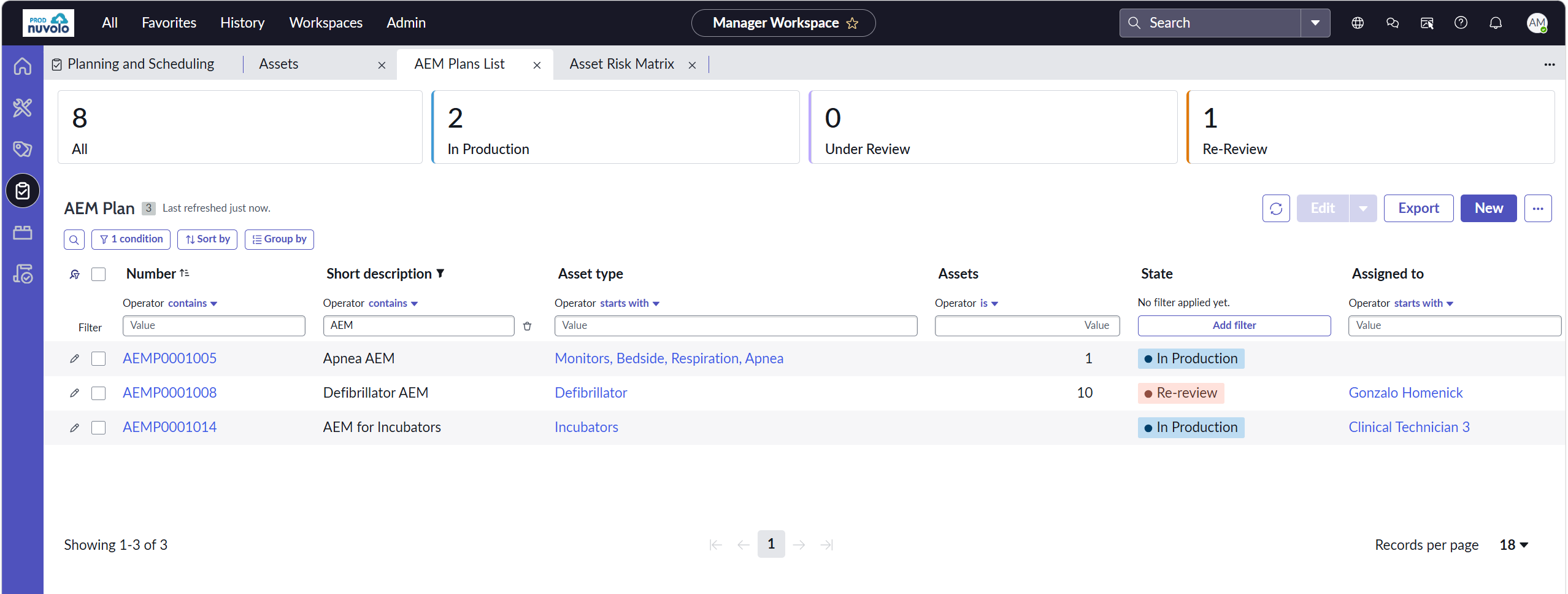
Manager Workspace | Alternate Equipment Maintenance (AEM)
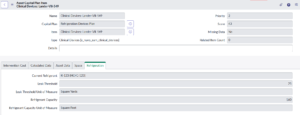
Deciding whether an AEM strategy makes sense for a piece of equipment—and proving that decision holds up later—are two different jobs. Our new AEM component in the Manager Workspace is built to handle both. For teams evaluating whether equipment warrants an AEM, there is now one place to see the metrics, plan details, and maintenance history that inform whether it’s a good candidate.
For teams already running AEM plans, you now have easy access to supporting data. When a surveyor or auditor asks “why does this asset follow a reduced maintenance schedule?” the rationale, supporting activity, and outcomes tied to that decision are already documented and ready to show, not reconstructed after the fact.
Vendor Catalog Punchout
Procurement friction slows repairs. When technicians have to leave their workflow to search a vendor portal, log into a separate system, and manually re-enter order details, small inefficiencies compound into real downtime. Vendor Catalog Punchout eliminates that context-switching. We’ve enhanced our integration with PartsSource and GE Healthcare (with more to come)—so technicians can search for parts and place orders without ever leaving the platform. Everything stays connected, meaning there are fewer steps from search to order, less room for error, and faster turnaround on repairs.
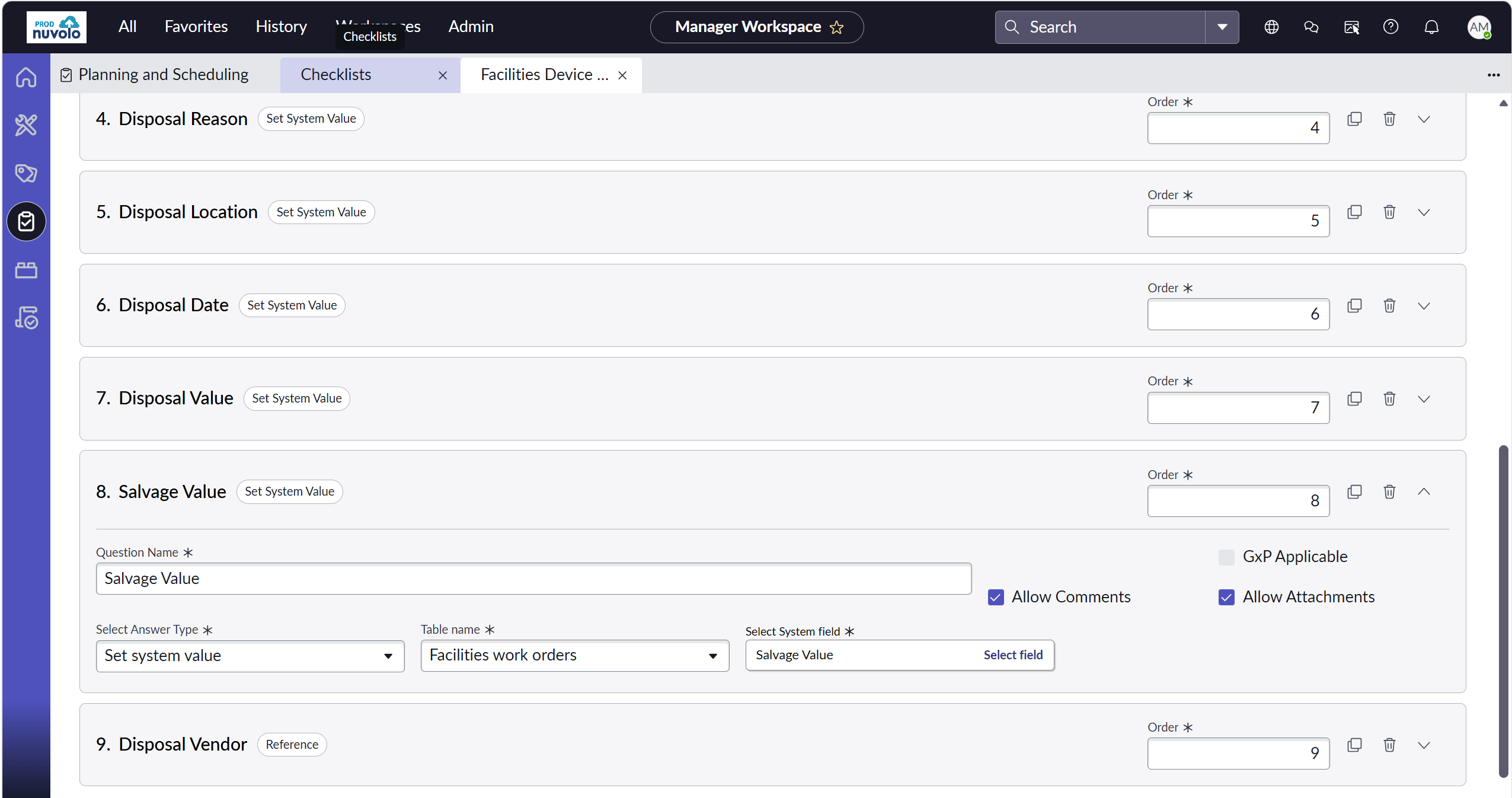
Technician Experience Enhancement | Asset Disposal
Retiring assets is now a cleaner, more defensible process. Technicians move through a simplified disposal workflow with fewer steps, while asset status updates automatically the moment a work order is completed. This eliminates manual follow-up for managers, closes the weakest link in the asset lifecycle, and ensures records stay trustworthy for compliance and capital planning purposes.
Mobile Technician Experience Enhancement | Home Page & Work Orders
We’ve introduced two connected enhancements: a Mobile Technician Home Page that surfaces priority work orders and upcoming assignments at a glance, and Mobile Work Orders that deliver a redesigned Super Card, simplified Work Order Item Completion, and a built-in timer for cleaner time tracking.
Asset & Maintenance Industry-Focused Products
Regulatory Compliance Management | Regulatory Compliance Manager Workspace
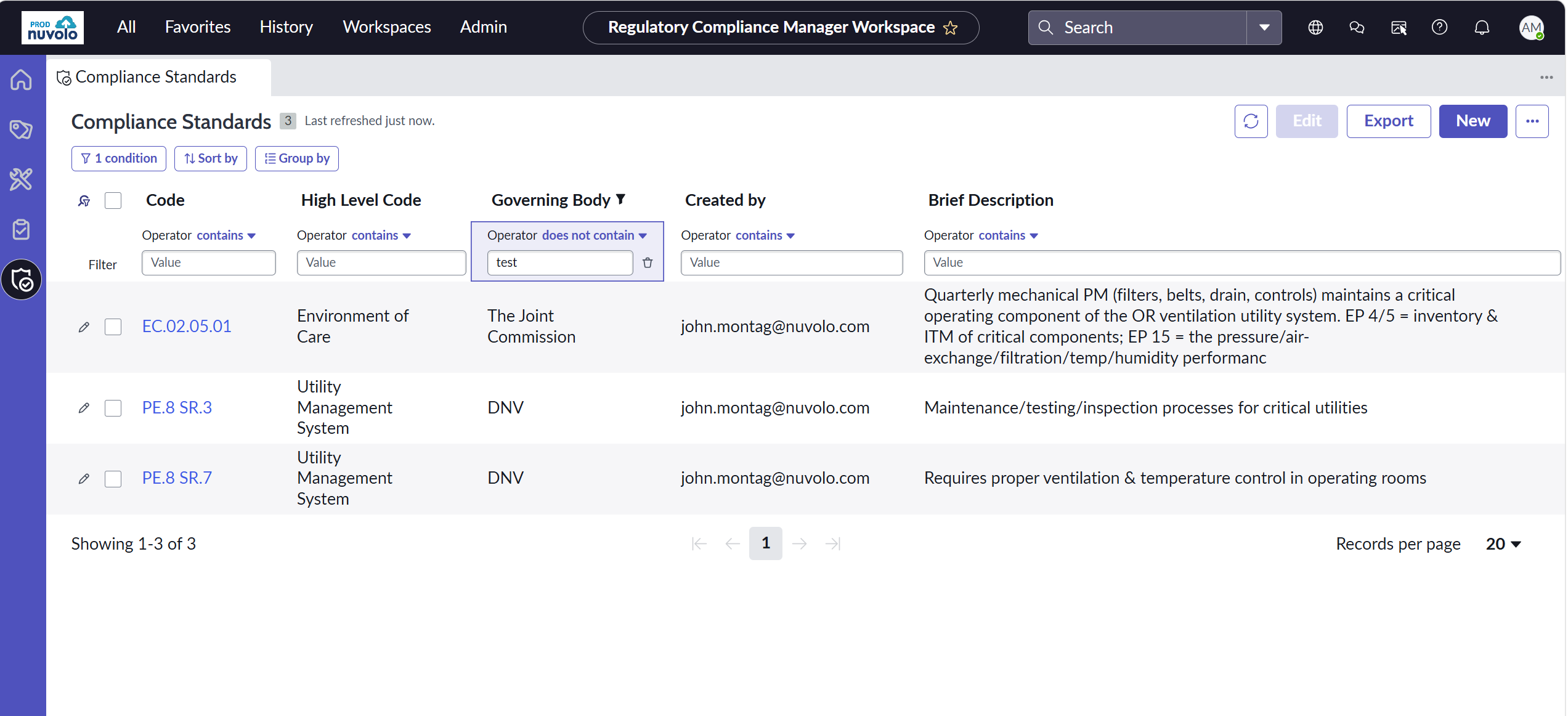
In 2026 R2, we’re introducing a brand new scoped app to help customers better manage their compliance initiatives. This is an add-on to our Asset & Maintenance product, creating built-in workflows to keep track of activities aligned to regulatory standards.
Nuvolo’s Regulatory Compliance Management Workspace simplifies how facilities can prove compliance. It includes a flexible compliance operations framework that ties directly to asset management workflows—facilitating the mapping of various standards that a facility may answer to directly to assets and workflows, so there’s one process that produces evidence for all of them. These standards include The Joint Commission, National Fire Protection Association, Centers for Medicare & Medicaid Services, and more.
Compliance managers can define the codes, standards, and regulations their facility needs to track in a centralized data table, then associate them to the appropriate asset types to support compliance and survey readiness. When creating maintenance plans for those asset types, teams can more easily identify which codes, standards, and regulations may apply through a guided, narrowed list—reducing manual research while still allowing users to apply their own judgment based on the asset’s use and environment.
Combined with Nuvolo’s existing scheduled maintenance definition capabilities, organizations can then apply maintenance schedules and automate work order generation for assets based on defined criteria, such as asset type, site, model, or asset name. This makes it easier to operationalize compliance requirements at scale while maintaining flexibility and control.
Refrigeration Management | Chronic Leaker Report
We introduced Refrigeration Management in our Vietnam Release to help organizations track inventory, monitor usage, log repairs, and generate audit-ready reports—with the goal of reducing risk, avoiding fines, and ensuring environmental responsibility. In 2026 R2, we’ve expanded this product with a new Chronic Leaker Report. The report automatically calculates leak rates and centralizes key metrics—Annualized and Rolling Leak Rates, Leak Status, and Chronic Leak Risk—directly within asset details and work orders. Instead of pulling data from multiple sources to piece together an asset’s history, technicians and managers see the full picture in context, right where they’re already working.
Stockroom & Inventory Management | Stock Clerk Mobile Experience
As a paid add-on, Stockroom & Inventory Management brings critical workflows to more mature warehouse and stockroom operations. In 2026 R2, we’re bringing these workflows mobile.
Stock clerks no longer need to run between their desktop and the warehouse to fulfill tickets. The information they need will always be in-hand. Stockroom teams can now use their mobile devices to:
- Fulfill pick tickets
- Conduct physical and cycle counts
- Move items between bins
Plus, technicians can request items they need to complete work orders from their dedicated mobile Technician Workspace, prompting stock clerks to fulfill the request.
OT Security
The 2026 R2 release introduces new workflow enhancements that reduce the operational overhead of asset lifecycle management and alert triage, so your security teams spend less time on administrative cleanup and more time on what matters. Plus, we’ve added new API endpoints to enable ease of data sharing between Nuvolo and Integration partners, including paginated lists of assets across facilities, lab, and clinical.
- Automatic Closure of Retired Asset Work: When an asset is retired, all associated open work orders and requests are automatically closed, eliminating the manual effort of tracking down and canceling individual records across teams. Security admins, assessors, and analysts can stay focused on active threats instead of administrative cleanup.
- Security Alert Tuning: Security analysts can mark affected assets as false positives, run targeted reports, and expose this data through the API — so 3rd-party monitoring tools can automatically suppress known-false detections and reduce noise.
- False Positive Workflow: Security analysts can now utilize Nuvolo to mark assets being mark as impacted by vulnerabilities as a false positive, which can then be fed back utilizing our new API endpoints.
Capital Planning & Projects
With Capital Planning & Projects, you can eliminate uncertainties and transform guesswork into data-driven decisions while managing the entire capital project lifecycle. From comprehensive planning and forecasting to execution and tracking, all the information you need is housed in one place.
In this release, we’ve turned the Capital Planning & Projects lifecycle into a single, evidence-driven experience. Project managers gain a persona-built dashboard that replaces the morning scramble across systems with portfolio health at a glance, while capital planners get the asset and space context they need surfaced directly at the point of decision. By connecting planning data to the project work it drives — and measuring that work with industry-standard performance metrics — every decision is grounded in the same trusted source.
Project Manager Workspace
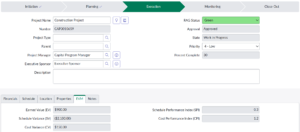
Managing a portfolio no longer requires piecing together status from disconnected tools. The new Project Manager Workspace gives project managers a role-based, view-only dashboard that surfaces portfolio health, fund allocation, milestones, and risk in one curated view — with assigned projects organized by phase for fast prioritization. This compresses the time from login to decision and gives PMs the single source of truth they need to stop assembling information and start leading projects.
Capital Planning Connected (Capital Plan Add-On)
Capital planning decisions are now built on the full picture. A simple Admin toggle surfaces supporting asset and space context — condition details, equipment characteristics, space attributes, and refrigeration data — directly on the capital plan item. This eliminates manual cross-referencing, so plans are built faster and every recommendation is defensible end-to-end.


Earned Value Framework Metrics
Objective project performance measurement is now native to the Project Manager Workspace. Project managers gain access to two core EVM metrics — Schedule Performance Index (SPI) and Cost Performance Index (CPI) — calculated directly from schedule, budget, and actuals data already flowing through Nuvolo. This gives PMs an industry-standard, defensible view of schedule and cost performance, so they can catch issues early and answer leadership’s hardest question — “is this project actually performing?” — with evidence instead of instinct.
Space & Workplace
This release makes it easier to see how space is actually used, and easier to book it once you know. It also reflects some work under the hood: we’ve unified how floorplans render, zoom, and display information across Space & Workplace, Asset & Maintenance, and Capital Planning & Projects — a foundation for more consistent floorplan features across the platform over time.
Improved Floorplan Visuals
Shared and mixed-use rooms just got easier to visualize. Floorplans can now show percentage-based color fills—so a room split between two teams (e.g., 40% IT / 60% HR) displays that breakdown accurately, instead of being forced into a single color. Colors can be assigned automatically across your space, and a new in-app Color Creator lets you customize your own color palette without waiting on technical support. An upgraded legend shows area and location counts by category, with one-click export for reporting, and configurable tooltips let you choose what detail shows on hover.
A More Complete Outlook Experience
Nuvolo now integrates more fully with Microsoft Outlook. The Nuvolo plug-in is available directly inside Outlook Classic, the new Outlook for Windows, and Outlook on the web, so you can search for spaces, check availability, and book or manage reservations without leaving your inbox. Reservations and calendar events stay synchronized automatically between Nuvolo and Outlook.