
What’s New in Our Latest Release
To make it easier for you to follow along with our product updates, we’ve simplified our release names. Going forward, you’ll see updates labeled by the year and their order, starting with 2026 R1.
In this release, we continue to focus on unifying the Connected Workplace. We’ve streamlined the user experience by introducing a high-level executive dashboard, while significantly boosting technician efficiency through deeper integrations with RS Means and SFG20.
Whether it’s visualizing asset criticality on interactive floorplans, managing multi-day hybrid work reservations, or leveraging new API frameworks, 2026 R1 is designed to eliminate data silos. We are making your data more actionable—from the mechanical room to the boardroom—so you can reduce costs, manage risk, and optimize your entire portfolio with ease.
Please note that this document is intended to outline our general product direction. It is for discussion purposes only and is not a commitment to deliver any material, code, or functionality. The development, release, and timing of any features or functionality of Nuvolo’s products remains at the sole discretion of the company.
Asset & Maintenance
Empower your organization to maximize asset value throughout its lifecycle with Nuvolo’s Asset & Maintenance product, our most extensive solution designed to simplify operations for organizations. This product equips technicians, service managers, and facilities executives with strategic insights for data-driven decisions, enhancing operational efficiency and ensuring regulatory compliance. The latest 2026 R1 release introduces exciting new features such as Asset Lifecycle Analysis, Manager Workspace Mobile, Contract Manager Workspace, new direct data integrations for RS Means & SFG20, create work orders from an API, and enhancements to Dynamic Checklist, UIB Manager, and floor plans for work orders and assets, which improve on the robust updates from our previous Wales release. Explore how these new features and enhancements can transform your asset management experience and drive success in your organization.
Asset Lifecycle Analysis
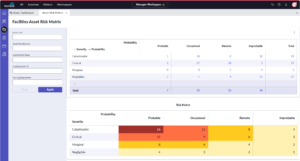
Driving proactive replacement strategies is easier than ever. With the new Asset Lifecycle Analysis feature, facilities and clinical managers can easily aggregate critical health metrics—including Asset Type, Total Cost of Ownership, Mean Time Between Failures, and Operational Risk Scores—into a single, decision-ready view. The new features reduce the reliance on static data and make it easy to correlate operational risk directly with lifecycle metrics without manual interpretation. As a result, organizations benefit from active, confident decision-making and the elimination of unexpected failures before they impact the bottom line.
Manager Workspace Mobile
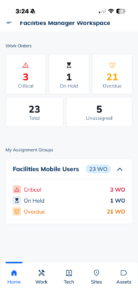
Leading teams directly from the floor just got smoother with the new Manager Workspace Mobile experience. Facility and clinical managers gain administrative control to view dashboards, manage work orders, and update asset records right from their mobile devices. This dedicated app bridges the critical gap in deskless management, ensuring operational decisions are driven by real-time reality rather than administrative lag. Ultimately, it untethers leadership from the back office, bringing the power of your Connected Workplace directly to the physical spaces where the work actually happens.
Technician Workspace Mobile | Enhancements
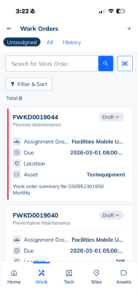
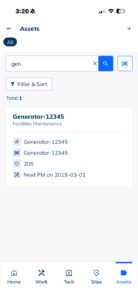
These enhancements are designed to completely remove the manual friction between detecting an issue and resolving it. By streamlining mobile connectivity and communication, these features ensure organizations maintain total visibility—from the back office directly to the field.
-
Offline Support: Field teams can keep moving without interruption, regardless of cell signal. The app handles connectivity entirely on its own, syncing data silently in the background without ever requiring a manual “sync” button press. This eliminates tech anxiety, prevents accidental data loss, and ensures technicians never waste time duplicating work.
-
Push Notifications: Organizations can shift maintenance processes from passive checking to instant action. High-priority alerts bypass crowded email inboxes and radio chatter, landing directly on the technician’s lock screen. With a single tap, the notification seamlessly opens the exact work order, ensuring critical tasks are never missed and response times are drastically reduced.
Contract Manager Workspace
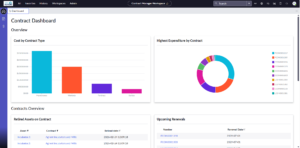
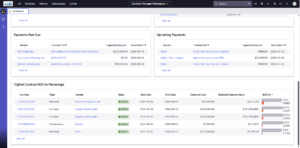
The Contract Manager Workspace was enhanced to provide clearer visibility into contract coverage, renewals, and financial details in one centralized view. These updates make it easier for contract managers to track key agreements, understand asset coverage, and stay ahead of upcoming expirations. By surfacing the most important contract information in one place, teams can make faster decisions, reduce administrative effort, and avoid unexpected service disruptions.
Manager Workspace Enhancement | RS Means and SFG20 Integrations*
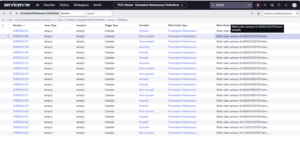
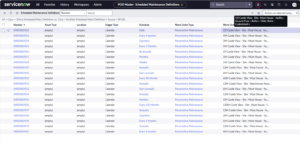
Achieving strict industry compliance no longer requires complex manual setup. By seamlessly connecting RSMeans and SFG20 directly into standard Nuvolo fields, facilities and clinical managers gain instant access to trusted repair data and standardized maintenance checklists. This integration empowers teams to enforce industry best practices effortlessly, without cluttering forms with confusing tags. The result is a clean, audit-ready environment that guarantees accurate reporting and keeps your operations fully compliant.
*RS Means and SFG20 licenses are sold separately (can be purchased through Nuvolo). Existing licenses can be integrated into Nuvolo.
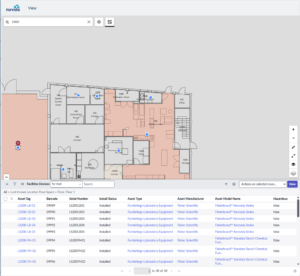
Floor Plan Enhancements | Work Orders & Assets
Mobile Enhancements
We’ve streamlined how you customize your mobile experience. In our latest release, implementers can now automate the configuration of offline tables by running a simple script provided by Nuvolo. Instead of manual setups, you can instantly sync custom tables and fields to the ServiceNow offline environment—ensuring your mobile app remains powerful, consistent, and perfectly tailored to your business needs.
Capital Planning & Projects
With Capital Planning & Projects, you can eliminate uncertainties and transform guesswork into data-driven decisions while managing the entire capital project lifecycle. From comprehensive planning and forecasting to execution and tracking, all the information you need is housed in one place.
In this release, we’ve evolved the Capital Planning & Projects lifecycle to turn stale, subjective reporting into real-time field intelligence. By unifying your data infrastructure, a single decision made in planning now instantly informs operational action. While this release leads with major updates to Capital Planning, stay tuned for a suite of Projects enhancements arriving in future releases.
FCA for Nuvolo Mobile – Physical Inspections
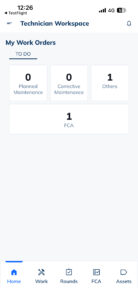
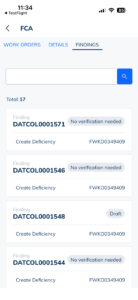
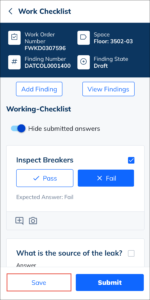
Subjective, memory-based inspections are officially a thing of the past. With new mobile capabilities for Facility Condition Assessments (FCA), technicians and engineers can execute checklists and document physical conditions directly from their devices. These guided mobile workflows ensure that facility data is captured accurately at the point of service, allowing any identified deficiencies to trigger immediate action rather than getting lost in paperwork. The result is a highly accurate, real-time understanding of asset health.
Capital Planning Connected*
Bridging the gap between capital planning and daily operations is now seamless. Automatically pushing strategic data downstream extends the planner’s influence across the entire asset lifecycle, unifying strategy with execution to eliminate rework and stop costly regret spend.
-
Actionable Surveys: Assessment responses now automatically flow directly into project records once a plan reaches execution. This seamless transfer of survey data guarantees smoother handoffs and instant access to critical details during early project mobilization.
-
Capital Data Flow: Capital plan data is now injected directly into asset and space records. This gives facility teams immediate visibility into upcoming capital activities, allowing them to instantly adapt daily maintenance strategies, adjust budgets, and align operations with long-term investments.
*Initial release in Wales Patch release, not 2026 R1
Real Estate & Portfolio
Real Estate & Portfolio provides customers with a comprehensive solution to manage the entire lifecycle of both leased and owned properties in one place.
- Asset Management: Track leases and owned property details and financials all in one place.
- Portfolio Management: Gain visibility into how a portfolio is performing, improve design strategies, and make more informed business decisions based on comprehensive metrics.
- Transaction Management: Execute all transactions on one platform to modify and improve the performance throughout the full life cycle of their real estate journey.
In this release, we’ve focused solely on Real Estate Portfolio Management.
IWMS Dashboard
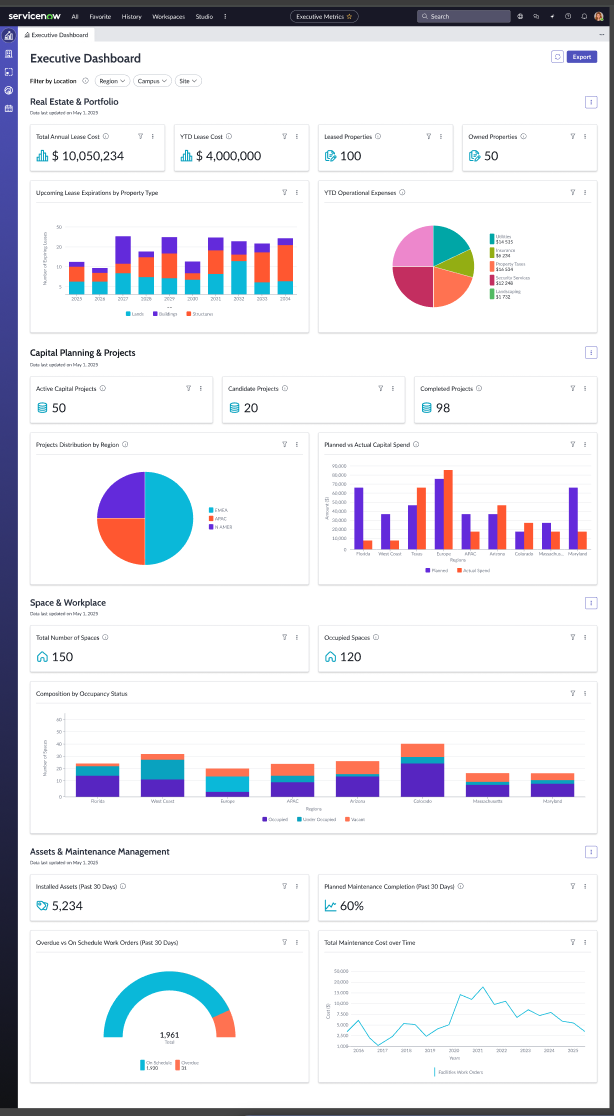
We’ve truly connected the workplace with a new IWMS Executive Dashboard. Customers no longer need to parse together disparate reports to get a comprehensive understanding of the state of their workplace. Now, they can easily reference a dashboard that centralizes key metrics across Real Estate & Portfolio, Space & Workspace, Capital Planning & Projects, and Asset & Maintenance. This allows them to quickly identify risks, prioritize investments, monitor resource utilization, and align actions with organizational strategy.
Scenario Creation
We’ve expanded our Scenario Creation functionality, allowing customers to model potential outcomes, adjust key variables, and evaluate the impact of strategic decisions before they happen. By enabling rapid what‑if analysis and side‑by‑side comparison of alternative paths, this feature arms stakeholders with the precision and foresight needed to navigate uncertainty and optimize future performance. Leaders can adjust key variables, test assumptions, and compare multiple strategic paths side‑by‑side—all within a single, intuitive workflow.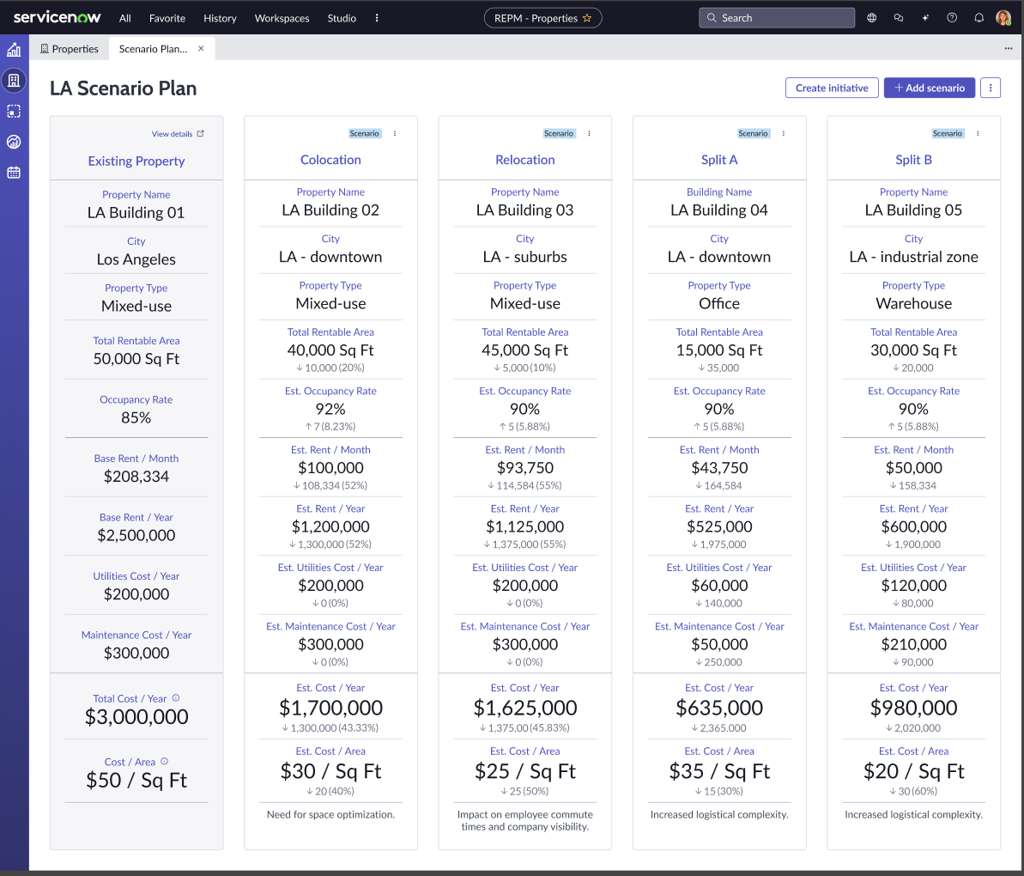
Space & Workplace
Exciting new features will be available to help optimize space planning and streamline reservations, all while providing a truly positive user experience.
Seamless Stacking and Blocking
In this release, we’ve streamlined stacking and blocking to better align with your natural workflow. Space planners can now move fluidly from high-level portfolio strategy to detailed floorplan execution within a single view—eliminating the need to navigate between menus or re-establish context.
Reservations Manager Center
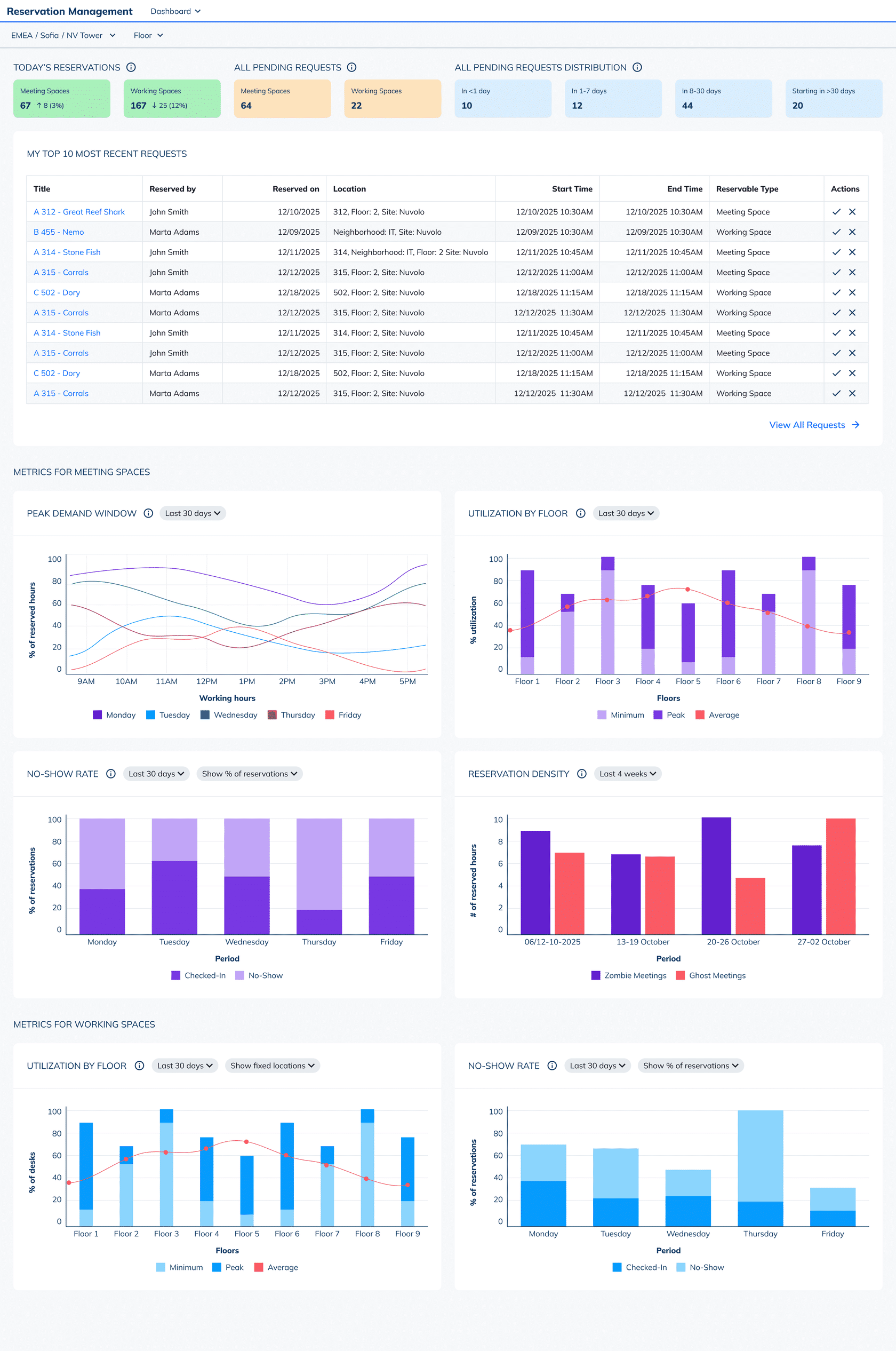
We’ve also introduced a brand new Reservation Manager Center. Space Admins and Reservation Managers have a single dashboard that shows real-time visibility into how spaces are being used across the workplace. With centralized real-time insights, they can
- Maximize space utilization by balancing real-time demand with available rooms and desks
- Reduce wasted space by identifying no-shows and “zombie” meetings
- Respond quickly to urgent or last-minute reservation needs
- Monitor key KPIs such as utilization rates, peak demand, and booking behavior at a glance
Multi-Day Reservations for Hybrid Workers
We’ve made it easier for hybrid employees to plan their entire week in one go. Instead of booking a desk day-by-day, users can now select multiple, non-consecutive days in a single action through the Map View. This enhancement allows users to:
- Plan hybrid schedules weeks in advance with fewer steps
- Reserve exactly the days they need without relying on rigid recurring reservations
- Reduce booking friction through a faster, more flexible reservation experience
The result is more confident planning for employees and more predictable demand for space teams.
O365 Outlook Plugin Update
We’ve refreshed our Outlook Plug-in to ensure the Nuvolo booking experience feels native to the tools employees use every day. It enables seamless, bi-directional syncing of reservation events between Nuvolo and Microsoft Outlook. Note: This improvement benefits customers who are on Vietnam or later. For customers on older releases, they can continue to use the existing plugin.